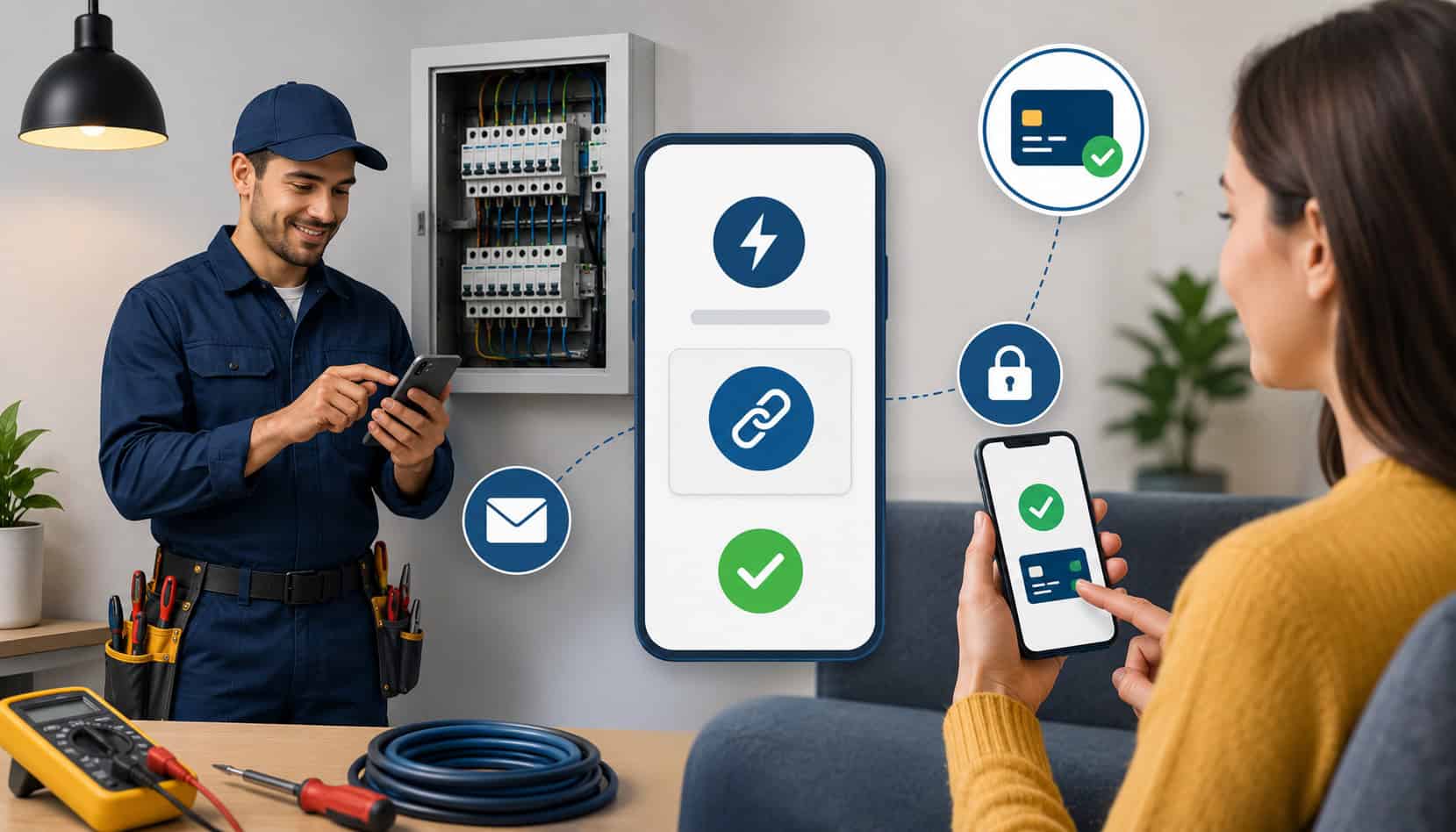
Online payment links for electrical services help electricians collect faster, reduce billing friction, and give customers a convenient way to pay after service calls, deposits, emergency repairs, panel upgrades, EV charger installations, and final project invoices.
Instead of waiting for mailed checks, calling customers for card details, or sending repeated reminders, an electrical business can send a secure payment link by text, email, digital invoice, estimate approval, or customer portal. The customer opens the link, reviews the amount, chooses an available payment method, and pays online.
For busy electrical contractors, this matters because payment delays can create real pressure. Materials, permits, fuel, payroll, and subcontractor costs often come due before the customer pays. Better payment processing for electrical services helps protect electrical business cash flow while giving customers a smoother experience.
A payment link is especially useful when the customer is not standing at the jobsite. For example, a homeowner may approve a panel upgrade remotely, a property manager may need to pay for an emergency repair, or a business owner may want to settle an electrical service invoice from the office. With digital invoices for electricians, the payment experience becomes faster, clearer, and easier to track.
What Are Online Payment Links for Electrical Services?
Online payment links for electrical services are secure checkout links that allow customers to pay an electrical business online. The link can be connected to an invoice, estimate, deposit request, service fee, recurring maintenance agreement, or project milestone.
Instead of entering payment details over the phone or mailing a check, the customer clicks the link and completes payment through a secure payment page.
For electricians, this makes billing more flexible. A technician can complete a troubleshooting visit and send the customer a link before leaving. Office staff can email a balance after parts are installed. A project manager can request a deposit before ordering equipment for a panel replacement, generator installation, lighting retrofit, or EV charger installation.
Payment links for electricians can usually support cards, ACH, and other approved payment methods depending on the provider. Some systems also connect payments to invoices, customer profiles, job numbers, receipts, and accounting records. That makes them more useful than a generic payment request because the payment is tied to the work performed.
A good link should include enough context for the customer to understand what they are paying for. This may include the invoice number, service address, job description, due date, payment amount, terms, and accepted payment methods. Clear electrical service invoices reduce confusion and make customers more comfortable completing payment.
Contractor payment links are also helpful when customers approve work in stages. For example, an electrical contractor may collect a deposit before ordering materials, another payment after rough-in, and the remaining balance after inspection or final completion.
For businesses comparing options, resources on credit card processing for electricians can help explain how field payments, digital invoicing, and secure checkout tools fit into a broader payment setup.
Why Electricians Use Payment Links
Electricians use payment links because electrical work does not always fit a traditional checkout process. Jobs happen in homes, commercial buildings, construction sites, rental properties, parking lots, utility rooms, and emergency situations.
Customers may not be present when the work is completed, and office staff may need to collect payment after the technician has already moved to the next job.
Electrician payment links reduce the need for mailed checks, manual card collection, and repeated follow-up calls. Instead of saying, “We’ll send an invoice later,” the business can send a payment-ready invoice immediately. That small change can reduce days sales outstanding and improve electrical business cash flow.
They also help standardize jobsite payment collection. Without a clear process, technicians may collect payment in different ways. One may take a card over the phone, another may wait for the office to invoice, and another may accept a check. That inconsistency creates reporting gaps, reconciliation issues, and unnecessary customer confusion.
Payment links for electricians work well for:
- Service call fees
- Troubleshooting visits
- Emergency electrical repairs
- Deposits on larger jobs
- Change orders
- Final balances
- Maintenance agreements
- Remote property manager payments
- Commercial follow-up invoices
Online payments for electrical contractors also give customers more flexibility. Some customers prefer cards for speed or rewards. Others may prefer ACH for larger balances. A payment link can present approved options in one secure place.
How Electrician Payment Links Work
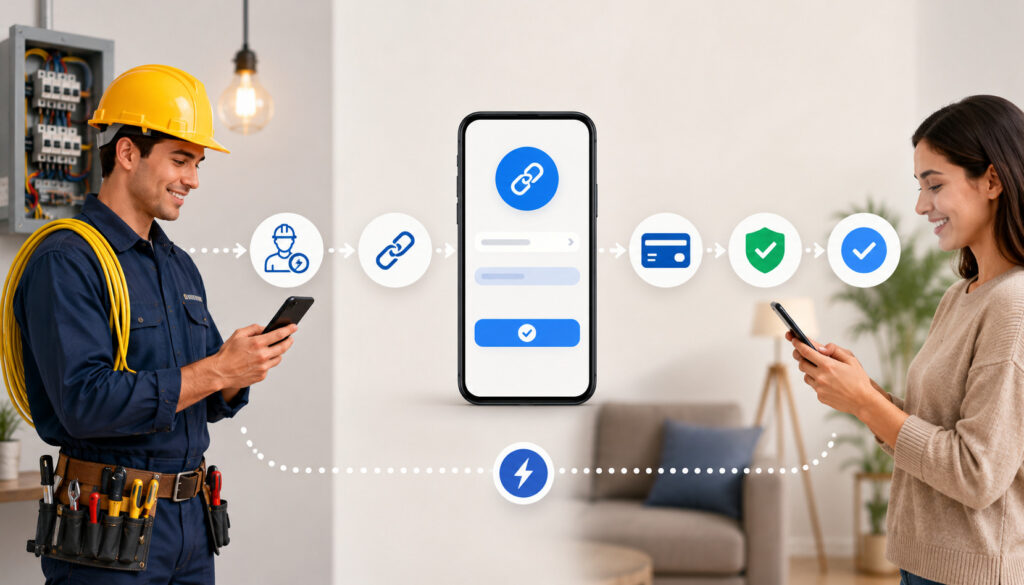
Electrician payment links work by turning an invoice, estimate, deposit request, or balance due into a secure online checkout page. The electrical business creates the link, sends it to the customer, and receives confirmation after payment. The process can be simple, but the best results come from clear job details, secure payment settings, and consistent follow-up.
| Step | What Happens | Why It Matters |
| 1. Create the payment request | The amount, customer name, job details, invoice number, and payment options are entered. | Keeps the payment tied to the correct electrical job. |
| 2. Generate the secure link | The system creates a hosted payment page. | Helps avoid collecting sensitive card data manually. |
| 3. Send the link | The link is sent by text, email, invoice, estimate, or portal. | Gives the customer a convenient way to pay. |
| 4. Customer reviews details | The customer checks the amount, description, and terms. | Reduces confusion and disputes. |
| 5. Customer pays online | The customer pays by card, ACH, or another supported method. | Speeds up collection and reduces jobsite delays. |
| 6. Receipt is issued | The customer and business receive confirmation. | Creates cleaner records for reconciliation. |
| 7. Payment is reconciled | The payment is matched to the invoice or job. | Helps track deposits, balances, refunds, and reports. |
Creating the Payment Link
Creating the payment link starts with entering the correct billing information. The electrician, dispatcher, office manager, or bookkeeper enters the payment amount, customer name, invoice number, service address, job description, due date, and accepted payment methods.
For larger projects, the link may also reference the estimate, signed approval, deposit requirement, or change order.
The description should be specific. “Electrical work” is too vague. “Troubleshooting and repairing kitchen circuits at service addresses” is better. “Deposit for 200-amp panel upgrade materials and scheduling” is even clearer.
This level of detail helps customers feel confident that the link is legitimate. It also helps the business later when reviewing payments, resolving questions, or matching deposits to jobs.
Sending the Link to the Customer
After the payment link is created, it can be sent by email, text message, digital invoice, estimate approval, or customer portal. The best delivery method depends on the customer and the job. A homeowner may prefer a text after an emergency repair.
A property manager may prefer email with the invoice attached. A commercial client may need the link inside a formal invoice workflow.
Clear instructions matter. The message should explain what the payment is for, when it is due, which payment methods are available, and who to contact with questions. This reduces hesitation and prevents customers from ignoring the link because they are unsure whether it is safe or expected.
Subject lines and text messages should also be direct. For example: “Invoice for completed electrical repair” or “Deposit request for approved panel upgrade.” Avoid vague messages like “Payment needed,” especially when sending a link.
Customer Payment and Confirmation
Once the customer opens the link, they should see a secure checkout page with the payment amount and invoice details. Depending on the electrical contractor payment processing setup, the customer may be able to pay by card, ACH, or another supported method. After payment, the customer receives a confirmation or receipt.
This confirmation is important for both sides. The customer has proof of payment. The electrical business has a digital record showing the payment amount, time, method, invoice, and customer details. That record can help resolve questions, reduce manual data entry, and support cleaner bookkeeping.
For field teams, confirmation also helps avoid awkward follow-up. A technician or office employee can see whether the balance was paid without calling the customer again.
Benefits of Payment Links for Electricians

The biggest benefit of payment links for electricians is faster collection. Electrical work often has immediate costs: parts, breakers, panels, wire, conduit, permits, labor, insurance, vehicles, and fuel. When payments arrive faster, the business has more room to manage expenses and schedule new jobs confidently.
Payment links also reduce administrative work. Office staff spend less time printing invoices, mailing statements, manually entering card details, and chasing unpaid balances. Instead, they can send secure online payment links, track payment status, and follow up only when needed.
Customer convenience is another major advantage. Many customers already expect online payment options. When an electrical business offers a secure link, customers can pay from a phone, tablet, or computer without waiting for a call or writing a check. This improves the customer experience and can make the business look more organized.
Payment links can also improve records. A digital payment tied to an invoice is easier to track than a handwritten note, loose check, or phone-based card entry. This helps with reconciliation, reporting, refunds, deposits, and dispute prevention.
For contractors evaluating broader systems, a payment processing setup checklist for electricians can help connect payment links with invoices, ACH, mobile payments, security settings, and staff workflows.
Faster Collections After Service Calls
Payment links help electricians collect soon after the work is completed. This is especially helpful for service calls, inspections, troubleshooting, outlet repairs, breaker replacements, fixture installations, and emergency repairs. The customer receives the payment request while the job is still fresh and the value is clear.
Without a payment link, the process may slow down. The technician finishes the job, the office creates an invoice later, the customer misses the email, and the balance sits unpaid. A payment link shortens that cycle.
For emergency electrical repairs, speed matters even more. Customers may be relieved that the power is restored or the hazard is fixed. Sending a clear, secure payment link immediately can reduce late payments and avoid uncomfortable collection calls later.
Easier Deposits and Progress Payments
Larger electrical projects often require deposits and milestone payments. These may include panel upgrades, generator installs, EV charger installations, lighting retrofits, tenant improvements, commercial buildouts, or service upgrades. Payment links make it easier to collect funds before ordering materials or reserving labor.
A contractor can send a deposit link after the estimate is approved. Later, the business can send progress payment links tied to rough-in, equipment delivery, inspection, or final completion. This keeps cash flow aligned with project costs.
Change orders also become easier to manage. If the customer approves added work, the contractor can send a payment link for the change order instead of waiting until the final invoice. That helps prevent surprise balances and protects margins.
Better Records and Reconciliation
Digital payment records help electricians match payments to invoices, deposits, refunds, and outstanding balances. This is especially useful when multiple technicians, office staff, and project managers are involved.
A strong electrician billing solution should show which customer paid, which invoice was paid, what payment method was used, when the payment was submitted, and whether any balance remains. This reduces confusion at month-end and helps the business avoid applying payments to the wrong account.
Cleaner records also support customer service. If a customer asks whether a deposit was received, the office can check the transaction record quickly. If a refund is needed, the business can trace the original payment and document the refund properly.
When to Use Online Payments for Electrical Contractors
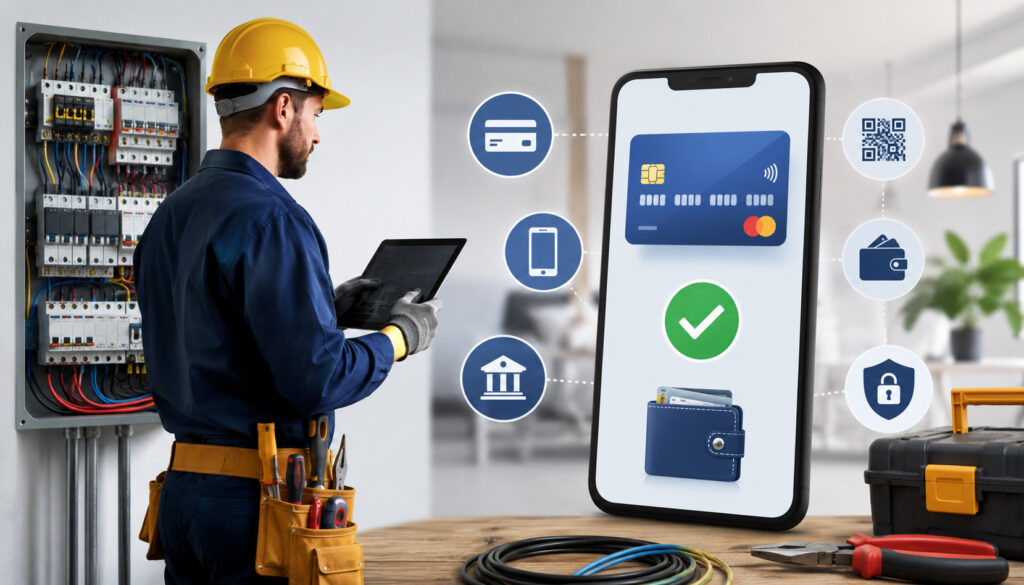
Online payments for electrical contractors are useful in nearly every situation where speed, convenience, and documentation matter. They are especially valuable when the customer is not physically present, the invoice amount is significant, or the job requires staged billing.
Emergency service is a strong use case. When a customer calls for no power, a tripped main breaker, storm damage, burning smell, or failed critical circuit, the priority is getting the issue resolved safely. Once the work is complete, a payment link allows the customer to pay quickly without slowing down the technician.
Remote invoices are another common use case. Property managers, landlords, facility managers, and business owners may approve electrical work without being onsite. A digital invoice with a secure payment link lets them review the job details and pay from wherever they are.
Payment links are also helpful for:
- Panel upgrades
- EV charger installations
- Generator installations
- Lighting retrofits
- Commercial service work
- Maintenance agreements
- Inspection corrections
- Tenant improvement projects
- Follow-up balances
- Warranty-related billable work
For recurring maintenance, contractor payment links can support predictable billing. The business can send links for scheduled inspections, testing, repairs, or service agreements. This helps keep payments organized and reduces manual follow-up.
Payment Security and Customer Trust
Security is one of the most important reasons to use payment links instead of collecting card details manually. A secure online payment page helps reduce exposure to sensitive card data. Customers enter payment details directly into the hosted checkout page rather than sending card numbers by text, email, or written form.
Secure online payments should include encryption, tokenization, access controls, user permissions, and clear receipts. Tokenization is especially useful because it replaces sensitive card details with a token that can be used for authorized payment activity without exposing the full card number.
Payment links can also support PCI-aware workflows. The Payment Card Industry Data Security Standard is designed to help protect cardholder data and reduce card fraud; businesses that store, process, or transmit card data are expected to follow relevant requirements. A helpful overview is available in this PCI compliance guide.
Trust also depends on presentation. Branded invoices, clear business contact information, itemized descriptions, accurate amounts, and confirmation receipts all help customers feel comfortable paying online. A link that arrives with no context may feel suspicious. A link attached to a clear invoice feels professional.
Electrical businesses should also manage internal access. Not every employee needs the ability to issue refunds, change payment amounts, or view customer records. Strong user permissions help prevent mistakes and protect the business.
Protecting Customer Payment Data
Payment links are safer than writing down card numbers, asking customers to text payment details, or storing card information in unsecured notes. When customers enter payment details through a hosted payment page, the electrical business can reduce direct handling of sensitive data.
This protects both the customer and the contractor. Customers do not have to share card details over unsecured channels. The business reduces the risk of misplaced information, staff errors, or improper storage.
Field teams should be trained never to ask customers to send card numbers by text or email. If a customer wants to pay remotely, the technician or office should send a secure payment link instead. This creates a cleaner, more professional payment experience.
Reducing Payment Disputes
Payment links can help reduce disputes when they are paired with clear documentation. A customer should understand what they approved, what work was performed, what they are paying for, and when payment is due.
Itemized invoices are important. So are signed estimates, written change orders, job photos, inspection notes, and approval records. If a customer later questions a charge, the business can review the documentation and respond with confidence.
Receipts should be clear as well. A receipt that includes the amount, date, invoice number, payment method, and service description is much more useful than a generic confirmation. The goal is to make the transaction easy to understand months later.
Costs and Fees to Consider
Payment links are convenient, but electrical contractors should understand the costs involved. Fees may include card processing rates, ACH fees, gateway fees, monthly account fees, chargeback fees, batch fees, statement fees, and possible costs for invoicing or software integrations.
Card payments usually cost more than ACH payments, but they may be faster and more convenient for customers. ACH may be better for larger invoices, especially commercial jobs, panel upgrades, or generator installations. However, ACH settlement timing and return risk should be reviewed carefully.
Settlement timing also matters. Some providers offer next-day funding or faster deposits, while others take longer. For electrical contractors managing payroll and material costs, funding speed can affect cash flow.
Chargeback fees should also be considered. Even if the contractor wins a dispute, the process can take time and create administrative work. Clear documentation, signed approvals, and itemized electrical service invoices help reduce this risk.
When comparing electrical contractor payment processing options, consider:
- Card processing rates
- ACH pricing
- Monthly fees
- Gateway or software fees
- Funding speed
- Chargeback process
- Invoice and payment link tools
- Mobile payment support
- Reporting and reconciliation features
- Customer support quality
- Security and compliance tools
The cheapest option is not always the best fit. A low-cost processor with weak reporting, poor support, or limited invoice tools may create more work. A slightly higher-cost option that improves collections and reduces admin time may be better for the business overall.
How to Set Up Payment Links for an Electrical Business
Setting up payment links starts with choosing a payment provider that understands contractor workflows. Electricians need more than a basic checkout button. They need tools that support invoices, field payments, deposits, ACH, cards, receipts, permissions, refunds, reporting, and reconciliation.
Start by reviewing how your business bills customers today. Do technicians collect at the jobsite? Does the office send invoices later? Do you take deposits for larger jobs? Do customers pay by check, card, ACH, or multiple methods? The answers will shape the setup.
Next, create invoice templates. Each template should include your business details, customer information, service address, invoice number, job description, payment terms, due date, accepted payment methods, and contact information. For larger projects, include deposit terms, milestone billing terms, and change order references.
Then configure delivery options. Decide when links should be sent by text, email, invoice, estimate approval, or portal. Some customers may need both text and email. Commercial clients may need formal invoices for approval.
Security settings should be reviewed before going live. Set staff permissions, refund controls, password policies, and access levels. Train technicians and office staff on what they can and cannot do.
A practical setup process includes:
- Choose a provider that supports contractor payment links
- Enable cards, ACH, and any other approved methods
- Build invoice templates
- Add job descriptions and service address fields
- Set due dates and payment terms
- Configure email and text delivery
- Set user permissions
- Define refund rules
- Test small payments before full rollout
- Train field and office staff
- Review reports daily during the first few weeks
For a deeper look at account setup, see this guide on setting up a merchant account for an electrical business.
Common Mistakes Electrical Contractors Should Avoid
Payment links work best when they are used consistently and professionally. One common mistake is sending vague payment requests. A customer who receives a link with no job description, invoice number, or explanation may hesitate to pay. Always include clear details.
Another mistake is using unclear due dates. “Due soon” is not specific enough. Use a clear due date, deposit deadline, or payment term. For example, “Deposit due before materials are ordered” or “Balance due upon completion” is easier to understand.
Some contractors send links without matching them to invoices. This can create reconciliation problems later. Every payment link should connect to a customer, job, invoice, estimate, or project record.
Manual card collection is another risk. Writing down card numbers, asking customers to text card details, or storing payment information in notes creates unnecessary exposure. Secure online payments are a better workflow.
Electrical contractors should also avoid ignoring failed payments. If a card is declined or an ACH payment fails, follow up quickly with a professional message and a new link when appropriate.
Other mistakes include:
- Not itemizing electrical service invoices
- Forgetting to reconcile deposits
- Sending duplicate links for the same balance
- Allowing too many staff members to issue refunds
- Using personal payment apps for business jobs
- Failing to document change orders
- Not confirming customer approval before billing
- Sending payment links from unfamiliar or unclear sender names
Best Practices for Using Contractor Payment Links
The best payment link process is fast, clear, secure, and repeatable. Send links promptly after work is completed or after the customer approves the estimate. Delays create space for confusion, forgotten invoices, and slower collections.
Use clear subject lines. A good email subject might be “Invoice for completed electrical repair” or “Deposit request for approved EV charger installation.” A clear text message might say, “Your electrical service invoice is ready. You can review and pay securely here.”
Itemize invoices whenever possible. Customers should see what they are paying for, including labor, materials, service fees, permits, diagnostic charges, deposits, discounts, and taxes or applicable charges. This helps prevent misunderstandings.
Include payment terms directly in the invoice and message. If payment is due upon completion, say so. If a deposit is required before scheduling, say so. If progress payments are tied to milestones, explain the milestone.
Document approvals. Keep signed estimates, accepted proposals, text approvals, email approvals, photos, and change order records. Strong documentation supports customer trust and dispute prevention.
Train both office and field staff. Everyone should know when to send a link, what details to include, how to confirm payment, and what to do if a customer has questions.
Best practices include:
- Send payment links quickly
- Use itemized invoices
- Add job numbers and service addresses
- Use clear subject lines
- Include due dates and payment terms
- Offer card and ACH options when appropriate
- Send polite reminders
- Document approvals and change orders
- Reconcile payments daily
- Limit refund permissions
- Avoid collecting card details manually
- Review reports weekly
Mobile payments for electricians can also support field collection when customers are present. To compare field-friendly options, review this guide on mobile payment options for electricians.
What are online payment links for electrical services?
Online payment links for electrical services are secure links that let customers pay electrical invoices, deposits, service fees, change orders, or final balances online. The link may be sent by text, email, invoice, estimate, or customer portal.
They are useful because electricians often work in the field, and customers are not always present when billing happens. A secure link gives the customer a simple way to review the charge and pay from a phone or computer.
How do electrician payment links work?
Electrician payment links work by connecting a payment request to a secure checkout page. The electrical business enters the amount, customer details, invoice information, job description, due date, and available payment methods.
The customer receives the link, reviews the details, and pays online. After payment, the customer receives a receipt, and the business gets a confirmation that can be matched to the invoice or job record.
Are payment links secure for customers?
Payment links can be secure when they use hosted payment pages, encryption, tokenization, and PCI-aware workflows. They are generally safer than asking customers to send card details by text, email, or written form.
Customers should receive clear invoice details and a recognizable payment request. Electrical businesses should also use strong passwords, user permissions, refund controls, and staff training to protect payment activity.
Can electricians use payment links for deposits?
Yes. Payment links are very useful for deposits on larger electrical projects. A contractor can send a deposit link after the customer approves an estimate for a panel upgrade, generator installation, EV charger installation, lighting project, or commercial job.
Deposits help cover materials, scheduling, and upfront project costs. The link should clearly state what the deposit covers and whether it is refundable under the business’s terms.
Can customers pay by ACH through a payment link?
Many payment systems allow ACH through a payment link, depending on the provider and account setup. ACH can be helpful for larger invoices because it may cost less than card payments.
However, contractors should understand ACH timing, returns, authorization requirements, and reconciliation. It is often best to offer both ACH and cards so customers can choose the method that fits their needs.
Do payment links help reduce late payments?
Payment links can help reduce late payments because they make it easier for customers to pay quickly. Instead of printing a check or calling the office, the customer can pay from a phone or computer.
They work best when paired with clear invoices, due dates, reminders, and consistent follow-up. Sending the link immediately after service or approval usually improves collection speed.
What should be included with an electrical service payment link?
An electrical service payment link should include the invoice number, customer name, service address, job description, payment amount, due date, accepted payment methods, and contact information.
For larger jobs, include the estimate reference, deposit terms, milestone details, or change order description. The more clearly the payment request explains the charge, the more confident the customer will feel.
Are payment links useful for emergency electrical repairs?
Yes. Payment links are especially useful for emergency electrical repairs because these jobs often happen quickly, outside normal schedules, or when the decision-maker is not onsite.
After the repair is completed, the business can send a secure payment link for the service call, labor, materials, emergency fee, or final balance. This helps the contractor collect promptly while giving the customer a convenient payment option.
Conclusion
Online payment links for electrical services give electricians and electrical contractors a practical way to collect faster, reduce manual billing work, and improve customer convenience. They support service calls, emergency repairs, deposits, progress payments, change orders, remote invoices, and final balances.
When used well, payment links also improve electrical business cash flow. Customers can pay quickly, office staff spend less time chasing balances, and digital records make reconciliation easier.
The strongest results come from a complete process: secure links, clear invoices, itemized job details, documented approvals, strong payment security, staff training, and consistent follow-up. With the right setup, payment links for electricians can turn billing from a slow administrative task into a smoother, more reliable part of every job.